How to test if a PS2 has a weak laser
Aug 19th '26 7:12pm:
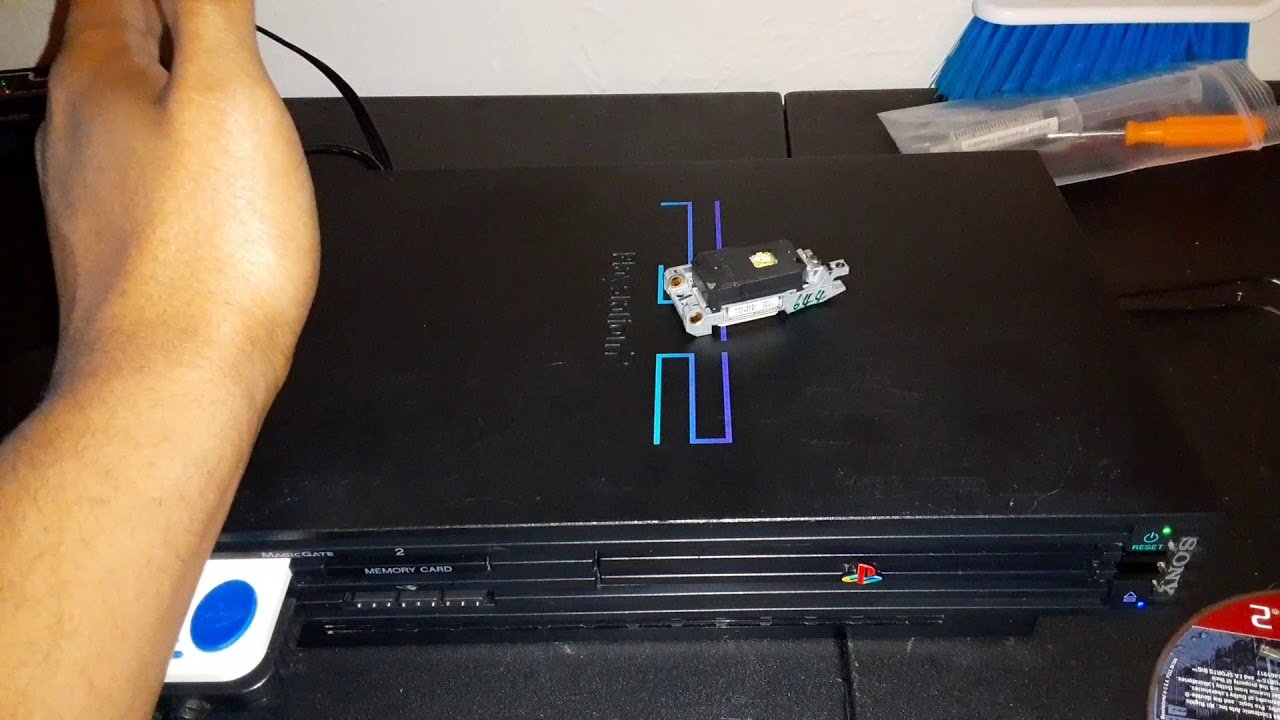
Your PS2 is about to die, and it's telling you exactly how much time you have left — you just need to know how to listen. Most people wait until the console goes completely silent on every disc before admitting there's a problem, and by then they've usually skipped the one test that could've told them, weeks earlier, whether this was a five-minute fix or a lost cause.
<br>There's a specific moment every PS2 owner with an aging console recognizes. The game is running fine, then it freezes for half a second, comes back, freezes again, and a few minutes later the console just stops recognizing the disc entirely. Then comes that clicking sound from inside the case, like the drive is trying again and again before giving up. If you've heard that, you probably already suspect what's wrong — but it's worth confirming, because plenty of people replace a laser they didn't need to, and plenty of others throw out a console that was just dirty.
<br>The first test, and the most revealing one, is comparing how the console reads CDs versus DVDs. PS2 games shipped in two physical formats: smaller titles on CD, with that distinctive blue underside, and the bigger ones on silver DVD. The laser tends to weaken unevenly between the two — it's rare for it to fade on both at the same rate. So if you've got a couple of CD games and a couple of DVD games lying around, you can run this test in five minutes: power on, try a CD, note whether it read or not, power off, try a DVD. If it reads DVDs fine but freezes on or doesn't even recognize CDs (or the reverse), that's about as close to a textbook signature of a weak laser as you'll get, and there usually isn't much left to do besides replacing the part or adjusting the potentiometer, which I'll get to.
<br>Before anything else, though, you need to rule out the most obvious suspect, which is dirt. A dirty laser lens mimics almost every symptom of a weak laser — freezing, long load times, sometimes not recognizing the disc at all. And that's extremely common in consoles that spent years boxed up on a dusty shelf. A cleaning disc handles most mild cases. If you want to go further, you can open it up and clean the lens manually with something made specifically for camera or telescope lenses — never rubbing alcohol directly on the lens, since it attacks the optical coating and ends up making things worse instead of better. That's a classic mistake that shows up constantly in old repair forums, people who swore they'd "killed" a laser that was really just suffering from alcohol damage to its protective layer.
<br>Once it's clean, if the problem sticks around, then it's worth suspecting the laser itself. And here's the second home test, which to me is the most practical of all: grab an original disc and a burned copy of the same title, if you happen to have both. Burned discs (CD-R, DVD-R) reflect less light than a factory-pressed disc, so they demand more power from the laser to be read properly. A slightly weakened laser can sometimes still handle original discs just fine while already failing on backups — and that's a sign the part is in the early stages of wear, even if it seems to be working okay in daily use. If the console is modded or running something like FMCB that depends on burned discs to boot, this is usually the first kind of failure to show up.
<br>Pay attention to when the problem happens, too. Does it freeze in one specific game, always at the same point? Suspect the disc before anything else — a scratch, a smudge, damage deep enough to confuse the reader. But if it's happening across several different games, discs in good shape, titles you know ran smoothly months ago, then the problem belongs to the console, not the media. There's also a slightly silly test that helps rule out mechanical issues: flip the console's orientation. If it normally sits flat, stand it upright (or the other way around) and run the same game again. A console with a worn disc tray or a slightly misaligned lid sometimes reads better in one position than the other, which has nothing to do with the laser at all.
<br>For anyone wanting more technical confirmation, you can open the unit and inspect the lens closely, looking for cracks, a yellowish or cloudy tint, anything that departs from normal clear glass or plastic. That's already a sign of visible physical wear, not just an electrical one. And if you've got a multimeter and know your way around one, you can measure the resistance on the CD and DVD potentiometers on the laser assembly itself — but at that point we're talking about a different level of testing, so let me open a bigger parenthesis here, because it's where most people get lost.
<br>The PS2 has two tiny potentiometers inside the optical assembly, one regulating laser power for CD, the other for DVD. They ship from the factory within a roughly predictable range — on V9 models, for example, somewhere around 1200 to 1400 ohms on each, though that varies from unit to unit even within the same model, so it should never be treated as a fixed rule, only as a reference point. With use, anyone who's repaired PS2 consoles for years and spends time in old hardware forums will tell you the same thing: lowering those ohms increases the laser's output power and can, in fact, "resurrect" a weak laser temporarily. The problem is that it speeds up wear — you're literally forcing the diode to work harder than it was designed to near the end of its life, so you're buying a few extra months or a year at the cost of burning the part out faster afterward. Push it too far, too fast, and the risk is frying the diode on the spot — most guides recommend never going more than 10% below factory setting, and never below roughly 650 to 850 ohms depending on the model and laser revision (there are variants like the 400B, R-Type, and 400C, each with a slightly different safe range). This isn't an adjustment to make blind — if you're going to try it, go in small steps, test after each one, and write down the original value before touching anything, because there's no going back on memory alone.
<br>Eventually, especially with a console pushing past twenty years old, it's worth asking whether it's even worth fighting for the original laser anymore. Replacing the part is cheap and fairly simple for anyone who's opened a PS2 before, but it requires knowing exactly which model you have — the fat units (SCPH-1000x through SCPH-3900x) and the slims (SCPH-7000x, 9000x) use different lasers entirely, and even within the fat line there are revisions that call for specific parts. Buying the wrong one, or trying to force a similar-looking part into place, is a guaranteed way to waste an afternoon. And if the goal is keeping the console alive without depending on a laser at all, there's a whole community running PS2s off an internal hard drive or an ODE swapped in for the optical drive, loading games without ever spinning a disc — which, ironically, tends to be more reliable long-term than any twenty-something-year-old original laser, no matter how healthy it looks today.