The Mistake That's Silently Killing Your Console
Jul 20th '26 1:35pm:
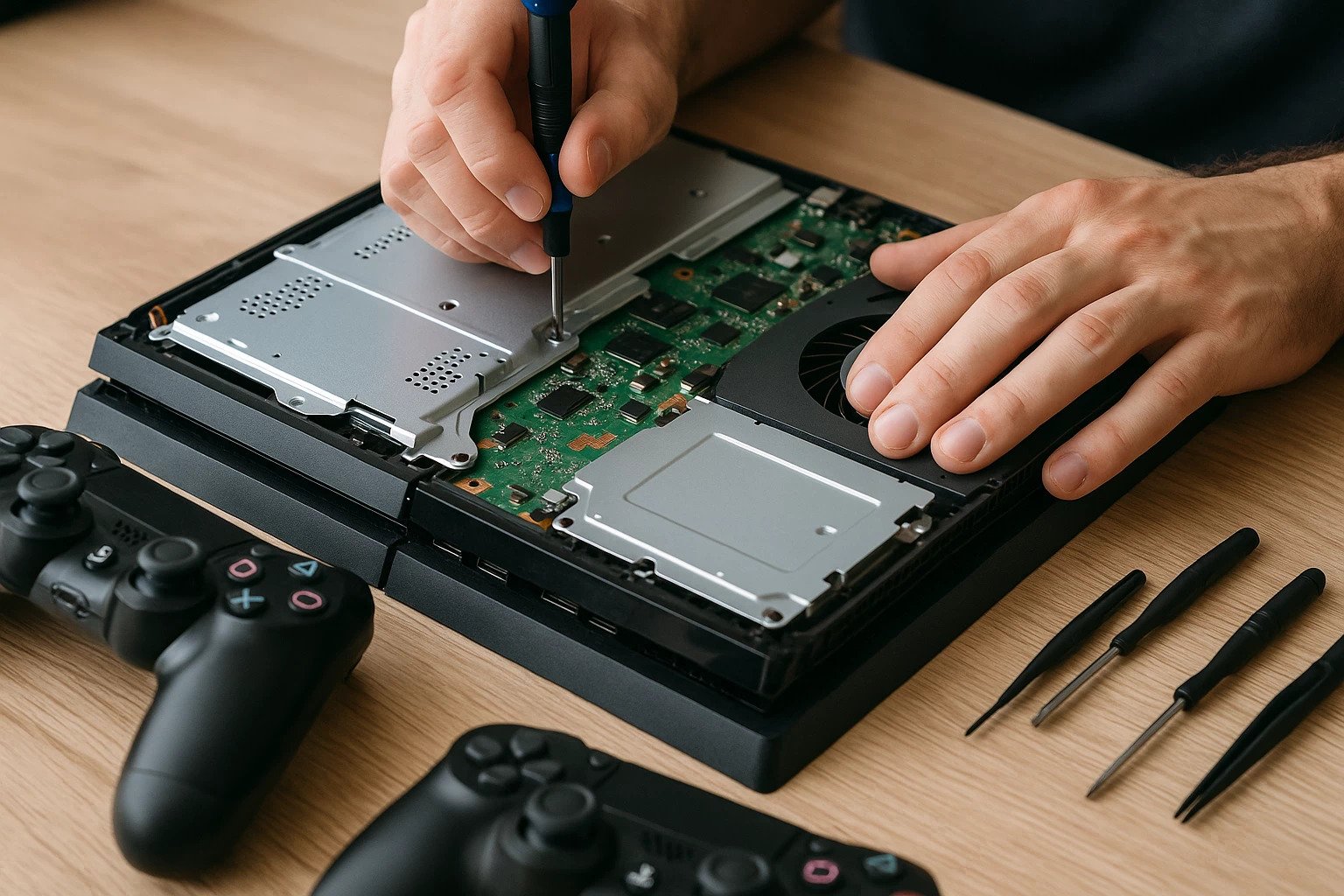
There's a moment every regular gamer eventually hits: the fan that used to be quiet now sounds like a small plane taking off, frame rates drop for no obvious reason, and sometimes the system just shuts itself down without warning. It's not bad luck or magic — it's almost always dust buildup, poor airflow, and components working under heat they were never meant to handle.
Overheating isn't just a minor annoyance. It's the main reason behind the slow, silent degradation of PCs and consoles: it reduces performance through thermal throttling, shortens the lifespan of processors, graphics cards, and power supplies, and in extreme cases can actually burn out components. The good news is that preventing this doesn't require advanced knowledge or expensive gear — just knowing what to look for and building the right habit.
## The signs your hardware is asking for help
Before grabbing a can of compressed air, it's worth learning to spot the symptoms. A fan constantly running at maximum speed, even during light tasks, is usually the first warning sign. Then come the unexplained performance drops — a game that ran fine for months suddenly stutters even though nothing changed on the software side. In more advanced cases, sudden shutdowns appear, along with strange fan noises or even a faint burning smell. None of these signs should be ignored, because they tend to get worse over time rather than fade away on their own.
## What you actually need to clean properly
Most cleaning mistakes come down to using the wrong tools. A household vacuum cleaner, for instance, seems like the obvious choice, but it generates static electricity that can damage sensitive components — it's probably the most common and most dangerous mistake people make. The safe route is compressed air in a can, a soft-bristled anti-static brush to loosen stubborn dust, microfiber cloths for external surfaces, and cotton swabs for hard-to-reach corners. None of this costs much, and a kit like this lasts for years.
## Consoles and PCs don't get cleaned the same way
This is worth being clear about from the start, since a lot of people treat both the same way and shouldn't. On a PS5, Xbox, or Switch, opening the casing tends to be more delicate, and depending on the brand and country, it can even void the warranty — so before loosening a single screw, it's worth checking the manufacturer's policy and, if needed, sticking to external cleaning of the air vents without opening anything up inside. On a PC, internal access is usually much simpler and safer, and that's where another factor comes in that rarely applies to a console: the thermal paste between the processor and the heatsink, which dries out and loses effectiveness over time, and should only be replaced if you already have some experience or are willing to take it slow and learn.
## The process, step by step
Everything starts with fully powering down the system and unplugging it — never clean anything while it's on or even just in sleep mode. From there, the process is largely the same across devices: blow the dust out of fans and heatsinks with compressed air, holding the fan blades still with a finger or brush so they don't spin uncontrolled and damage the motor; clean the air intake filters, which are removable on many consoles and PC cases alike; and, before closing everything back up, take the opportunity to reorganize the internal cables. This last step is often overlooked, but tangled cables block airflow just as much as dust does, and tidying them up can lower temperatures without touching anything else.
## Where you place your setup matters as much as cleaning it
It's easy to focus entirely on internal cleaning and forget the rest. A PC or console tucked inside a closed cabinet, pushed against a wall, or sitting on a surface that blocks its air vents will overheat no matter how clean it is on the inside. Ideally, leave a few inches of clear space around the vents and avoid spots with little to no air circulation, even if that means rethinking how the room is arranged.
## How to confirm it actually worked
For PCs, there's no need to guess whether the cleanup worked — tools like HWMonitor or HWiNFO show real-time temperatures, both at idle and under load, letting you compare numbers before and after maintenance. Consoles don't offer that kind of direct monitoring, but fan noise and performance stability during long gaming sessions already give a solid indication.
## The mistakes that ruin everything
To wrap up, it's worth highlighting the most common mistakes, since this is usually where people end up damaging the very thing they were trying to fix: using liquid cleaners or alcohol not specifically made for electronics, forgetting to properly reconnect screws or cables during reassembly, applying too much thermal paste — more isn't better, and it can actually trap heat instead of dissipating it — and cleaning too aggressively near soldered components on the board, which are far more fragile than they look.
In the end, keeping a PC or console cool doesn't take an obsessive routine — just a simple habit, done every three to six months depending on your environment. It's a small time investment for a huge difference in the hardware's durability and performance.